Friday, October 14, 2011

21st Principal's Top 10 Web Tools for Administrators

NOTE: I CAN NO LONGER RECOMMEND EVERNOTE TO USERS. SINCE ITS ACQUISITION IN 2023 BY BENDING SPOONS, THE PRODUCT HAS BECOME RIDDLED WITH BLOATWARE AND NOT USABLE AS IT ONCE WAS. THERE ARE BETTER PRODUCTS AVAILABLE FOR NOTE TAKING.

If you're looking for some tools to put into your digital, administrative toolbox, or if you're looking for Web tools to teach to an administrator, here's my top ten that I use during the course of my job as a school administrator
.
  1. Evernote: I've posted about this one many times, but it often is the first application I open in the morning. As I've said before, I use it to create my Weekly To-Do List and my Daily Administrator Log. I also use it, along with Diigo to capture resources throughout the week to share with teaching staff and others. In addition, I  use it for quick notes during a classroom visit, or meeting notes. Add an iPad app and an Android app, and I can use this one anywhere. This is by far my favorite tool as administrator. Check out Evernote for yourself.  http://www.evernote.com/
  2. Twitter: I been using Twitter the longest. I've had a Twitter account since 2008. One way I use Twitter is through a school Twitter account to make  announcements.  Another way I use Twitter is through my  personal-professional Twitter account to share resources with my larger PLN and to engage in the international conversation about education. It is my premier tool for connecting with other educators. http://twitter.com/
  3. Diigo: This social bookmarking tool serves as one of my two resource collection tools. Evernote is the other. I use Diigo to bookmark resources, annotate interesting Web articles, cache interesting pages, and capture images. It is my primary bookmarking, resource collecting, and resource sharing tool. http://www.diigo.com  
  4. Google Docs: I use Google Docs more often than Microsoft Office or any other Office Suite. I actually use it all: spreadsheets, word processing, forms, and presentations. The biggest advantage is that I can use it for collaborative documents. Things like an observation sign up sheet or my student parking registration system are a breeze on Google Docs. http://www.google.com/
  5. Blogger: I try to post to the blog often, but like many others, it is a challenge to run a school and find  time to write worthwhile blog posts. Still, throughout the day, I often log into to blogger to start drafts of future blogs. It is another way for me to share and connect with other educators worldwide. http://www.google.com/
  6. Dropbox: I access Dropbox every day as well. My administrative documents library follows me everywhere I go because of this app. I save all my documents into this application folder, and with the desktop apps installed on both my home and school computer, they follow me. Add the iPad and Android apps, and I can access these documents anywhere I happen to be. http://www.dropbox.com/
  7. Edmodo: Edmodo is obviously an excellent tool for the classroom. It's social media-like environment enables interaction and facilitates class activities. From an administrative perspective, it can also be a tool for sharing on a wider network of fellow administrators and educators. http://www.edmodo.com/
  8. Slideshare: I use this Web tool just a bit less than the others, but it is an excellent presentation sharing tool. I use it to share presentations from the trainings I do during the course of the year. http://www.slideshare.net/
  9. Prezi: I am still learning this one, but it is an excellent alternative to the sometimes overused PowerPoint. With an Educator account and the desktop versions of the application, I can easily create presentations that are distinguished from slide presentations. http://prezi.com/
  10. Embedit.in: This tool allows users to create embed codes for presentations and documents to place on Web pages. For example, I have used this app to create embedded versions of our student handbook and curriculum guide. It allows users to present documents on the Web in viewers instead of links of icons. http://embedit.in/

4 Ways to Bring Our Students to Excellence


David Shenk entitled Chapter 8 of his best-selling book, The Genius in All of Us, "How to Ruin (Or Inspire) a Kid."  In that chapter, Shenk offers advice to parents for fostering and guiding excellence in their children. He argues that the potential for creativity is "built into our brains" and that excellence is not something you either have or don't have. It is rather something within that awaits development.

In his book, Shenk offers parents a concise list things to do to foster and guide excellence in their children. While this list is addressed to parents, I can't help but believe teachers would find it useful too.
  1. Believe: We have to have faith in what Shenk calls "the enormous potential of a child." It is up to us to marshal the resources necessary to bring them to excellence. We have to believe in the extraordinary potential of every child.
  2. Support, don't smother: Setting high expectations and allowing students to demonstrate resilience in the face of challenges is important. Trying to protect them to the point of "smothering them" does not allow a student to grow in excellence. Give them support as they strive to achieve.
  3. Pace and Persist: As Shenk points out, "In the end, persistence is the difference between mediocrity and enormous success." Teaching students the ability to delay gratification is key. Demonstrate and be a model of self-control for students at all times. Allow students opportunities to demonstrate self-control.
  4. Embrace Failure: Weaknesses are opportunities. Failures open doors wide. Be careful to not give up on students who have failed. With them, turn failure into an opportunity.
If we want to foster a culture where excellence is the norm, we need to strive to foster values that bring out the best in our students and ourselves. 

Thursday, October 13, 2011

Evernote & Diigo: 2 Web Resources for the Connected Educator

NOTE: I CAN NO LONGER RECOMMEND EVERNOTE TO USERS. SINCE ITS ACQUISITION IN 2023 BY BENDING SPOONS, THE PRODUCT HAS BECOME RIDDLED WITH BLOATWARE AND NOT USABLE AS IT ONCE WAS. THERE ARE BETTER PRODUCTS AVAILABLE FOR NOTE TAKING.

There are two Web 2.0 products I have found reason enough to purchase beyond the freemium versions: Evernote and Diigo. Both of these products figure prominently in my daily activities as a high school administrator. They are often two Web tools I open first thing every morning in preparation for my school day as a principal. Here's some of the ways I use each of these products in the course of my work day.

Evernote

I use Evernote, both Web and desktop verions. I also access and use it on my iPad and on my smartphone. It has become one of my primary administrator Web tools. Here's some of the ways I use it daily:

  • To-Do List: I mentioned doing this in an earlier blog post, but I create a weekly To-Do List in my Evernote application for a few reasons. I make it weekly because so many of the tasks I face are a variety of both short-term and long-term tasks. With Evernote, I add more and more tasks as the week goes by, and for those tasks that don't get completed, it is a simple matter of copying and pasting in the next week's To-Do List at the beginning of the next week. I also can access my To-Do List anywhere through my phone or iPad.
  • Administrators Log: I once had a seasoned administrator tell me, "If it ain't documented, then it didn't happen." My Administrators Log is my documentation tool for all the of the major incidents and tasks I have to tackle during the course of the day. With the tags features, I can make my documentation notes even more easily accessible, and because I have Evernote on all my devices, I can access these notes any where too.
  • Resource Collection Box: At the end of the week, I send out an email newsletter to all my staff and to the parents. In that newsletter, I share resources and ideas on education. These resources and ideas are collected throughout the week in my Evernote Notebook entitled Weekly Email Update. By the end of the week, I usually have quite a few resources to share.
Evernote
Diigo

I've had a free Diigo account for over a year. It is such an excellent tool for collecting resources. Even the free version works well, But I have begun to collect more and more resources, and I wanted to be able to access those resources no matter what. I also wanted the added functionality of storing cached pages, screenshots, and unlimited images.  Without getting into all the details of explaining why being able to save more cached pages and being about use screen capture, here's the primary ways I'm using Diigo Premium as an administrator.
  • Using Unlimited Cached Pages:  By having unlimited cached pages, I can upload entire pages into my Diigo account and not just links. This saves me from having to navigate through a maze of links and bookmarks. I can collect web resources and store cached versions of the Web pages. No worry about links and bookmarks not working.
  • Using the Screen Capture and Annotation: This added premium feature allows me to take screenshots of web pages, annotate them, and upload them to my Diigo account. Another excellent Web resource collection tool. I can take a screenshot of a Web page, annotate it, and upload it to my Diigo account to use later.
  • Using the Save Images from Web Pages: Many times I find images I want to share with other educators, With this feature, in Firefox and Internet Explorer, I can capture images and upload them to my Diigo account. This is quite useful when I discover images that I want to use in presentations or otherwise share.
Diigo

If there are two Web 2.0 programs I would advise every administrator learn to use, Evernote and Diigo are those two programs. If there are two Web 2.0 programs that are worth the premium price, I would again say that Evernote and Diigo are those two programs. Whether using the premium versions or not, these two programs are a must for a 21st century administrator, especially those administrators who are plugged in to the Web, and need a place to store resources.

Wednesday, October 12, 2011

Three Reasons to Avoid Motorola Droid Phones

In this post, I am going to be honest. I once promoted Droid 2 Phones, but I've lived to regret it. Almost a year ago, I purchased a Droid 2 phone. I've been happy with the Android operating systems and the apps I use, but I found using a Motorola Droid phone to be major disaster. It's so unreliable, I would not recommend it or any other Motorola product at this point.  Here's three reasons why I won't use a Motorola product again, especially a Droid.

Battery life is unpredictable. I knew going into using a Droid that battery life was an issue. In the reviews I read  over the Web, users everywhere talked about how to extend the life of a charge, and I tried everyone of them. Nothing seems to work. What I have found is that my Droid 2 phone will last an entire day one day, and then the next day it won't last an hour, and that is after charging it fully the night before. The battery life is entirely too unpredictable for a school administrator who must be able to use his cell phone at any time. There have been times I have only been at school an hour, only to find my phone dead. Motorola's Droid 2 has a way too unpredictable battery life for me.

Touch Screen often hangs up. This problem has to be one of the most aggravating issues yet. I will try to activate my phone by sliding the activate tab on the touch screen, and nothing happens. Or, I will try to exit an app and nothing happens. Too many times I am finding the Motorola Droid 2 screen unresponsive. I just hope I never have to use my cell phone to make an emergency call because my screen might be frozen.

Surprise phone crashes. This last problem is driving me crazy. On too many occasions to count, I have reached down to answer my ringing phone, but when I touch the screen, the phone crashes and reboots. Basically my phone crashes at those times when I need it most to work. I just hope that last call I got was not an emergency call.


The bottom line is this: My Motorola Droid 2 phone has become a much too unreliable product for me as a school administrator.  I've taken it to my Verizon dealer, and I basically had to tell them what I thought was wrong with it. I can honestly never tell when I might reach down to use it and the battery will be dead or screen frozen. I have downloaded the latest updates, and I have even taken my phone in for service, and no one has answers. At this point I will be switching to another product when my contract runs out in three months. I would welcome any suggestions any of you might have for smart phone products. If your district is looking at a new smartphone product, you might want to look elsewhere.

Monday, October 10, 2011

Leading 21st Century Schools---Great Book for the Not-Yet Tech Savvy School Leader


Cover Image"To be a successful leader in the 21st century, school leaders need to be open to change, know how to manage change, and be risk takers," writes Lynne Schrum and Barbara Levin in their book Leading 21st Century Schools: Harnessing Technology for Engagement and Achievement. But being open to change means being comfortable with change. Knowing how to manage change means having the knowledge and skills to face change, and being risk takers means understanding what you're risking. One of the reasons many administrators still are hesitant with technologically wrought change is they lack the knowledge necessary to make informed decisions, and the whole technology knowledge domain looks too daunting. Schrum and Levin's book is just the antidote to that lack of technological expertise and knowledge school leaders need to be successful 21st century school leaders.


The main strength of Leading 21st Century Schools is the panoramic view of educational technology it gives readers. The opening chapters give an overview of what has changed economically, socially, and technologically, and how these changes care driving change in education. Then the authors take readers through all the research about characteristics of digital learners, a complete overview of Web 2.0 tools, and a guided tour of instructional strategies to use with technology. Included in this book is information about how to get teachers engaged in technology in their classrooms and some basics on how to be an instructional technology leader. There is even a complete chapter that reviews the basics of laws such as Child Internet Protection Act (CIPA), Federal Education Rights and Privacy Act (FERPA), and copyright.

This book is a complete introduction to all-things-technology for school leaders. While this book is probably not one for the tech-savvy administrator, it is one for that school leader who needs the whole panoramic introduction to instructional technology.  You might consider giving this book as a gift to your principal if he or she is still on the sidelines when it comes to technology.

Sunday, October 9, 2011

Class Size Does Matter

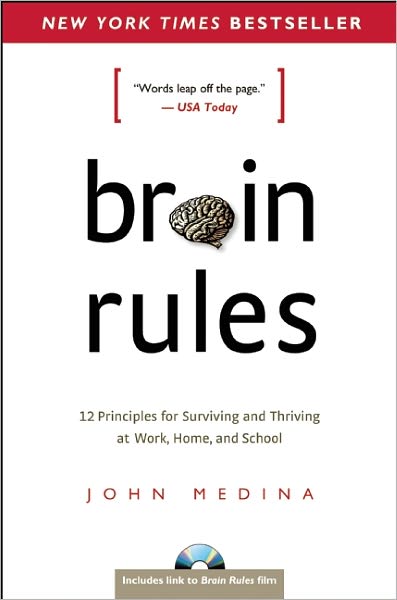
Most of us are well aware that our students all have brains that are wired quite differently. The idea that students all learn the same way and that their brains can take in learning the same way is an assumption of a 20th century factory model of education whose time of demise has come. According to John Medina, in his book Brain Rules: 12 Principles for Surviving and Thriving at Work, Home, and School, here's some things that can be done in our schools to make learning more effective in a classroom of diversely wired brains.
Cover Image
  • Smaller Class Sizes: In spite of the rhetoric in the news about "class sizes don't matter," according to Medina they do matter. He says, "Given every brain is wired differently, being able to read a student's mind is a powerful tool in the hands of a teacher." It's difficult to read student minds when you have 35 to 40 minds as opposed to 20 to 25, or even smaller. Further, Medina states, "Because a teacher can keep track of only so many minds, there must be a limit on the number of students in a class---the smaller the better." If you're churning on test scores alone, maybe class size doesn't matter, but if you're trying to keep up with student minds and differentiating learning, class size does matter.
  • Customized Instruction: The old admonition to create more individualized instruction has a great deal of support in brain research. Medina writes: "You cannot change the fact that the human brain is individually wired. Every student's brain, every employee's brain, every customer's brain is wired differently. That's the Brain Rule. You can either accede to it or ignore it. The current system of education chooses the latter, to our detriment. It needs to be torn down and newly envisioned, in a Manhattan Project -size commitment to individualizing instruction." That settles it, we should strive to individualize instruction for our students rather than engage in trying to standardize it for all students.
It is clear from Medina's work that two things we need to be doing in education are providing smaller class sizes where teachers can "get to know their students' brains" and customize instruction to fit the individual brain wiring our students have. In an era that seeks more and more standardization through testing and common standards, Medina's book makes us wonder whether we are doing the right thing with our current education policy. As usual policymakers engage in reforms that are the opposite of what we should be doing.


Sunday, October 2, 2011

Top 10 Signs Your School Is Caught in a Time Warp: List for School Leaders

Ian Jukes, Ted McCain, and Lee Crockett write in their book Understanding the Digital Generation, "Schools have not recognized the changes that have occurred in the world around them and have continued to teach as if it were 1980." In the spirit of David Letterman, here's my "Top 10 Signs Your Schools Caught in a Time Warp." A list for school administrators.

1.  Your school policies work harder to keep web content out rather than bring web content in the school.
2.  Your school technology policies force students to "power down" their personal devices when they enter the front doors.
3. Your textbook budget exceeds your technology budget.
4. Social media rules condemn it as the downfall of public education.
5. Your web site hasn't been changed in three years.
6.  Overhead projectors still sit prominently at the front of your classrooms.
7. The idea of an interactive board is a bulletin board with push pin figures attached.
8. There's a card catalog file sitting in your media center.
9. Your school still spends and budget's money for journals and magazines.
10. You spend a portion of your day dealing with confiscated cell phones.

What would you add to this list? Feel free to share and add.