As an administrator, I am always looking for solutions to managing the many tasks that come with being a school principal. During the course of the day, one or two dozen tasks can often come across my desk, and trying to find a way to keep track of all of these is problematic. Of course there are the usual Web 2.0 tools like Google Calendar, Remember the Milk, and Ta-Da Lists. All of the online tools have their positives and negatives, but I am always game for trying new software.
I honestly do not recall when and where I first heard of taskTome, but I do remember reading about it in some open source review. It looked promising so I downloaded a copy from http://tasktome.shanemca.com/. After installing it, I found it really does work as advertised. It basically has five main features:
1. Planner: You can use this feature to keep track of events. It allows you to enter an event, just like many calendar programs, but there is no alarm or reminder feature. The calendar has a very simple interface.

taskTome Calendar Interface
2. Tasks Manager: The Tasks interface for taskTome is also simple. It gives the user the ability to create tasks by clicking a single button. These tasks can then be given due dates, placed in a category, and assigned a priority. Again, though, there is no reminder alarm system with the software.

taskTome Tasks List Interface
3. Diary Entry: One feature that I found interesting with taskTome was the ability to enter Diary entries. During my tenure as an administrator, I keep a running administrative log that contains notes regarding administrative actions taken and the incidents and situations faced every day while on the job. This feature is a handy one to have for someone who is keeping a daily log of activities for documentation purposes. The only feature I wish was included was a timestamp button so that I could easily enter the time.
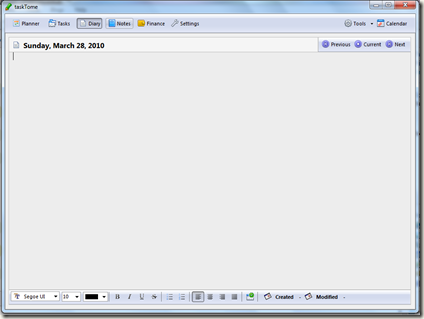
taskTome Diary Interface
4. Notes Entry: TaskTome also gives users a place to enter notes. This is basically a simple notepad like interface where users can enter information and insert dates and objects into them. Useful for keeping additional notes tied to tasks or events.

taskTome Notes Interface
5. Financial Tracking: TaskTome’s financial tracking feature was personally the least useful feature for me. Perhaps that is because so much of the schools expenses are tracked in other ways. Still, it looks simple enough and might prove useful to some.

taskTome Financial Interface
TaskTome is a very simple Task tracking program. For the user who really does not need a lot of extra bells and whistles, this program fits the bill. It has the ability export its event list, task list, diary entries, and notes, and will also export these same documents into PDF files. The program is also small enough to install and operate from a flash drive. It truly is a simple task management program.


